It’s no secret that people love taking pictures with their iPad, but it has always been a somewhat out of the ordinary behavior publicly considering the sheer size of the tablet in general.
You’re probably sick of Kickstarter projects that turn your iPad or iPad mini into a giant camera, so here’s something a little different. It’s an iPad mini camera rig, but this one is actually available to buy. Now. From Amazon.
Apple's first iOS 7 beta adds the ability to zoom in and out, via a two-finger pinching motion, while recording video in the default Camera application.
Bodelin Technologies claims it has released the first professional microscope attachment for the iPhone and iPad. Aimed at science students, crime scene investigators, dermatologists and more.
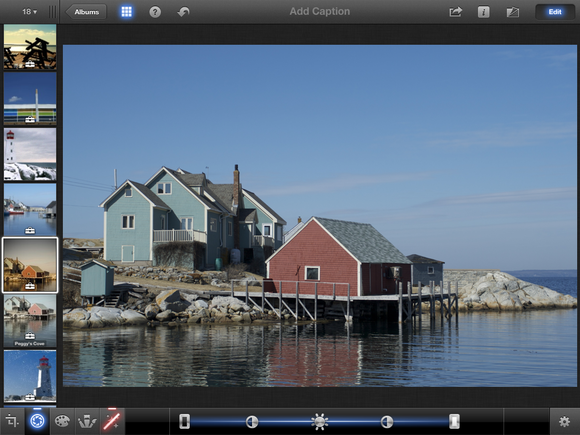
Although iPhoto for iOS isn’t quite as robust as its OS X counterpart, it’s a very capable image editor—and it can do a few cool tricks you simply can’t do on your Mac.
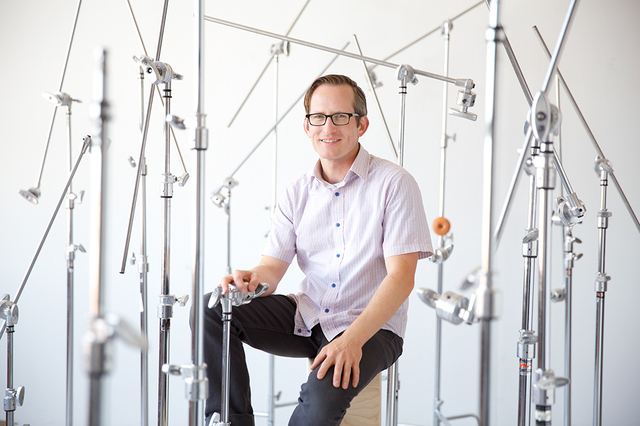
You’ve almost certainly never heard of Peter Belanger, but you’ve definitely seen his photographs. In fact, you may even see his work every day, and it’s likely that you own some of his most famous subjects.
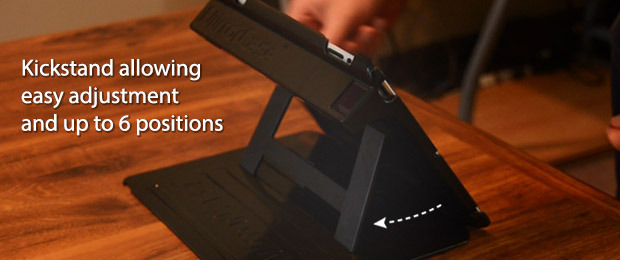
You might scoff at someone shooting video with an iPad, but what if it were an iPad mini, wearing this sleek double-handled iOgrapher mount? It accommodates different lenses, makes it easier to hold your iPad mini steady, and if that's not rock-solid enough, it lets you mount it on a tripod.
In this tutorial, we'll show you how to use the free Snapseed app to edit photos on your iPad. The app is also available for the iPhone, iPod touch, Android smartphones and tablets, as well as Windows PCs and Macs.
So, here's a situation: you'd love to your iPhone or iPad to control your UAV collection, and you're pretty obsessed with collecting as many of these UAVs as possible. Aside from undoubtedly landing yourself on an FBI watch list, you'll probably also be interested in helping the folks at Fighting Walrus Radio turn their dreams into reality.
Have you ever wanted to be that guy at the concert who holds his iPad up while recording video to post to YouTube, somehow oblivious to the people around him and all semblance of good taste? Well now you can!* That’s because YouTube is making its dedicated video recording app available on iPad, just three months after rolling out the app for iPhone.
Who says the iPad wasn't meant for creation? Sure, you can't exactly run Final Cut Pro or Adobe InDesign on Apple's tablet (nor would you really want to), but the device has come a long way since 2010. One category of apps that demonstrates the iPad's creative prowess is its growing selection of photo-editing software.
Until now, there hasn’t been a great a way to use your iOS device to remotely control high end, DSLR cameras. While the iPad’s multi-touch display is great for monitoring your camera, it’s not always possible to have an internet connection when you’re out in the field shooting. Thankfully, this problem might become a thing of the past thanks to the CamRanger, a neat device being shown off at Macworld that lets you remotely control your DSLR from your iOS device without an internet connection.
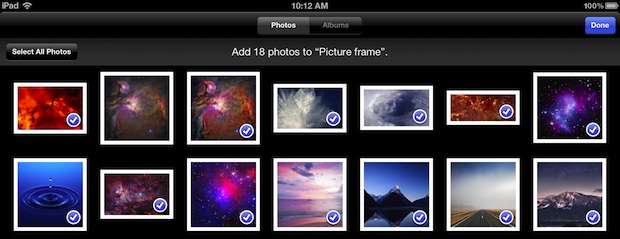
Sorting pictures into albums on your iOS devices is a good way to manage photos intended for different purposes, and some image editing apps like Snapseed and Instagram will create their own albums to help keep things arranged. It’s not uncommon for an albums purpose to evolve though, and what once may have held just a bunch of pictures for picture frame mode on the iPad may have slowly evolved into a broader place to store photos, making a name change appropriate.
Description ***** Happy Holiday ! Free For Limited Time (Two Days ONLY) *****
Turning your photos and music into a dazzling slideshow movie for holidays couldn't be easier on iPad.
Want to show your photos in a different way? Download this App and it turns your photos and music into fantastic slideshow in minutes on your iPad. It also exports to HD videos for sharing on YouTube, Facebook,Dropbox,SkyDrive or plays on an even bigger screen — your HDTV.