iOS 7.1 came in addition to a number of improvements, bug fixes, and new features like CarPlay. The new version also brought small design changes, but unfortunately Apple also in this update killed a very handy glitch, so that the ability to create nested folders (folders within folders) is no longer possible.
Showing posts with label How to. Show all posts
Monday, April 7, 2014
Video: How To Creat a Nested Folder in iOS 7.1
iOS 7.1 came in addition to a number of improvements, bug fixes, and new features like CarPlay. The new version also brought small design changes, but unfortunately Apple also in this update killed a very handy glitch, so that the ability to create nested folders (folders within folders) is no longer possible.
Monday, December 9, 2013
Friday, November 22, 2013
Producing a podcast entirely with iOS is easier than you might think
Thursday, November 14, 2013
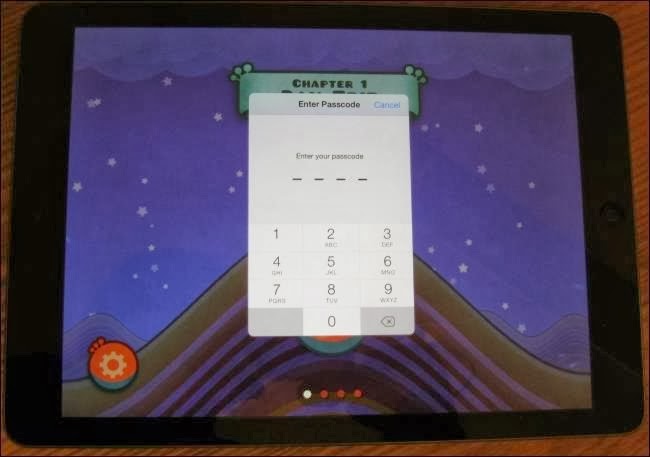
How to Keep Your Child Safe on the iPod Touch, iPhone and iPad
Apple has sold well over 600 Million iOS devices so far. That figure includes the iPod Touch, iPhone and iPad combined.
Monday, November 11, 2013
Tips to Improve your iPad Air’s Battery Life
The iPad Air is significantly thinner and lighter than its predecessor. Apple has accomplished an incredible feat of engineering by reducing the battery capacity of the iPad Air, but still maintaining the amazing 10 hour battery life of the iPad.
Labels:
Batteries and Chargers,
How to,
iOS,
iOS 7,
iPad Air
Wednesday, October 16, 2013
Get the most money for your old iPad before trade-in values fall ahead of Oct. 22 event
Now that Apple has made the rumored October 22nd date for its iPad event official, it’s now time to seriously start thinking about trading in your old iPad in order to get the most for your money.
Saturday, October 5, 2013
Secrets of the iOS 7 Keyboard
iOS 7 packs a lot of changes: new icons, new app interfaces, and new features, such as Control Center. But you may not have looked closely at one part of iOS 7 that you’ll use a lot: its keyboard.
Saturday, September 21, 2013
iOS 7 Tips: Make text more readable/larger on your iPad and iPhone
For some people, the font sizes on the iPad, iPhone, and iPod touch are too small. Sometimes, these small fonts prevent people from using or purchasing the iOS devices. Thankfully, there are multiple solutions to this potential issue.
Thursday, September 19, 2013
iOS 7 Tidbits: iMessage Timestamps, App Switching, Spotlight Search, and More
Apple released iOS 7 to the public earlier today and while we highlighted a number of the major features in the operating system, there are more than 200 changes in all, including hundreds of minor tweaks and improvements. We’ve gathered up a list of some of the lesser known iOS 7 features below.
Wednesday, September 18, 2013
How to Turn a Composition Notebook Into an iPad Case
All iPads need cases, but you don't need to spend upward of $80 on a piece of plastic. This do-it-yourself case can be created with household materials and personalized with a notebook that fits your style.
Monday, September 9, 2013
Thursday, August 29, 2013
7 Little Known Tricks To Get More Out Of Your iPad (Video)
REUTERS/Robert Galbraith
The iPad is one of the most popular gadgets around, but most people who own one don't know everything this device can do.
Monday, August 12, 2013
Hidden iPad features that could improve your life
What to do When the iPad Won’t Turn On
Many of us heavily rely on our iOS devices to do common daily tasks such as waking up, reminding us about meetings or many other things that have become second nature to us.
Friday, August 9, 2013
How to Turn Your Bathtub Into a Giant iPad
Close your eyes and imagine how it would feel to go for a swim inside your iPad’s touchscreen.
Wednesday, July 24, 2013
Use this trick to cache offline maps in the latest Google Maps for iOS
The latest version of Google Maps for iOS brought a number of new features. The most notable addition is support for the iPad, but there's also a really cool easter egg Google added into the app.
Friday, June 21, 2013
How to Open Recently Closed Safari Tabs
Saturday, May 25, 2013
Five Useful Tips To Master iBooks On Your iPhone, iPad, or iPod touch
One iBooks to rule them all.
Apple’s iBooks provides one of the best, most accessible ereading experience on the iPad, in my opinion, and it’s pretty darn simple to use.
Sunday, May 19, 2013
How to add website bookmarks to home screen on iPhone and iPad
Here's how to bookmark a website on iPhone and iPad. Put a website bookmark on your iOS homescreen.
Wednesday, May 15, 2013
Tips and tricks for iPhoto for iOS
Although iPhoto for iOS isn’t quite as robust as its OS X counterpart, it’s a very capable image editor—and it can do a few cool tricks you simply can’t do on your Mac.
Subscribe to:
Posts (Atom)


